Write for the branch you are testing
A prototype often needs to answer a simple question: can the player follow this exchange while moving through the scene? Start with the actual branch, not a large lore document. For example, make one line for the gatekeeper's warning and one for the player's reply. Keep stage directions in your script notes rather than in text that the voice will speak.
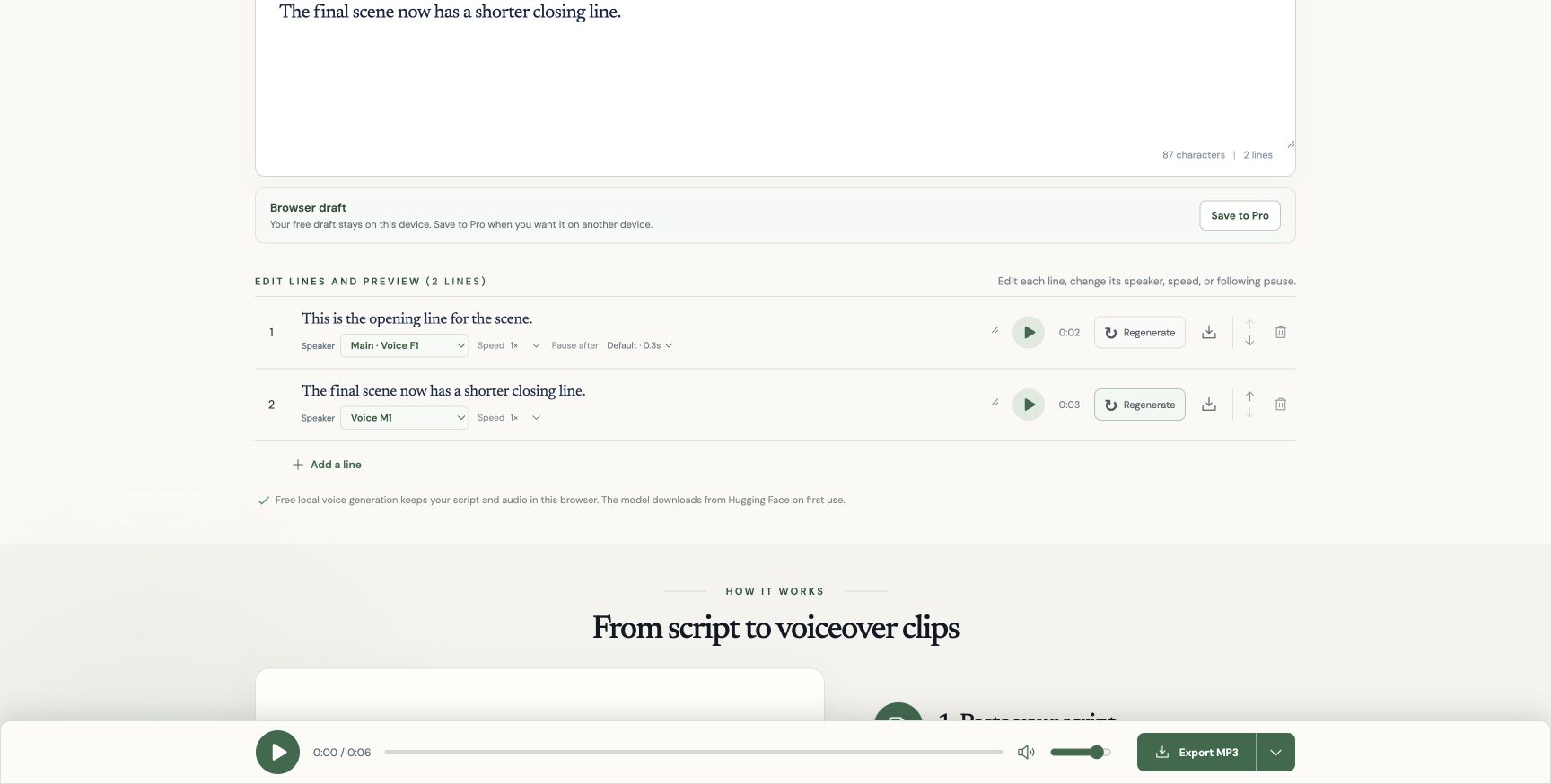
Put each turn on its own line in TTS Lines. Choose a main voice, then change the speaker on the other character's lines. In our two-line editor test on 14 October, Voice F1 stayed on line one while line two used Voice M1. Changing that second voice made only that line need regeneration.
Hand off files the game can use
Export the ZIP of individual MP3 clips and place them in your project's temporary dialogue folder. The joined MP3 is useful for hearing the whole exchange; separate clips let your game play each turn at the right trigger. TTS Lines does not create dialogue trees, import audio into a game engine, or keep a spreadsheet of dialogue IDs.
The generated filenames include line order and some text, so they can change when a line moves or is rewritten. If your game uses stable keys such as gate_intro_01, rename the downloaded asset in your own project and keep the key beside the canonical written line. That avoids replacing the wrong turn in a branch.
Decide what is still placeholder
Listen in the actual scene with effects and music. A line that reads fine on a page can run long over player movement. Shorten or split that turn, regenerate it, and replace only that file. Review names, numbers, and any word the local voice misreads.
This workflow is for timing and comprehension tests. The free voices are presets, not clones of actors. Before shipping generated speech, review the model licenses, TTS Lines terms, and the requirements of the platform where you will release the game.