The two-line test
We generated two English lines in the free TTS Lines editor: “This is the opening line for the scene.” and “This line will be replaced after the edit.” The ZIP export contained two numbered MP3 files. We unzipped it, opened a new Resolve 21 project on macOS, used Import Media to bring both files into the Media Pool, and appended them in order. Both clips appeared as separate audio regions on the timeline.
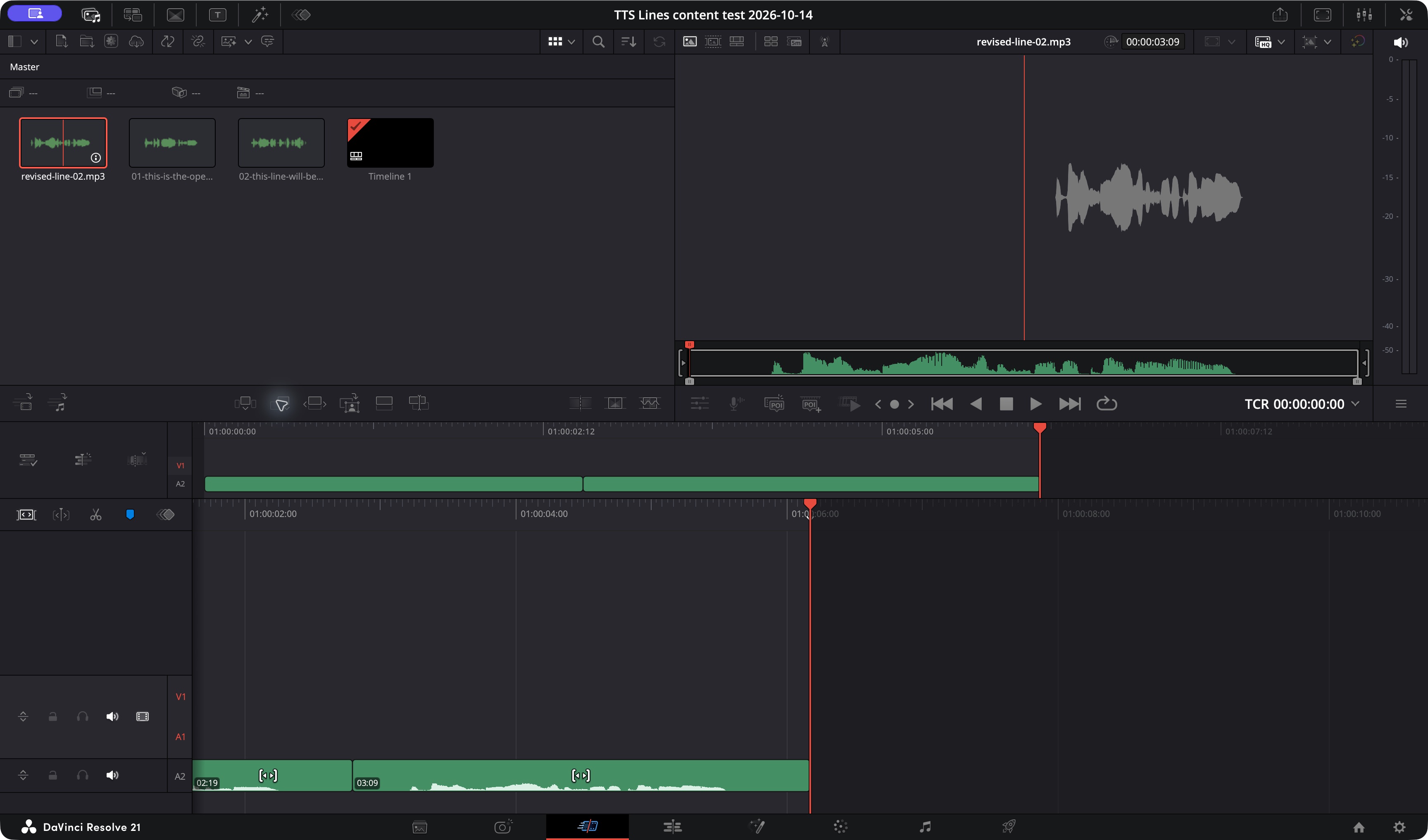
Then we changed only line two to “The final scene now has a shorter closing line.” TTS Lines marked that line for regeneration while line one stayed playable. We generated the new line, downloaded its MP3, imported it into Resolve, removed the old second region from the test timeline, and appended the replacement. The screenshot shows the resulting two-clip timeline.
Do this in your own project
Break the script at places where you expect the picture or wording to change. In TTS Lines, generate and listen to every line, then use More export options > ZIP · individual MP3 clips. Unzip the download before importing the MP3s into Resolve. The ZIP is a package, not a media clip.
In Resolve, show the Media Pool, choose Import Media, and select the MP3s. Put them on an audio track in script order. Our test used the Cut page's Append control; you can also position clips in the Edit or Fairlight pages. Check the start of each clip against the shot. TTS Lines does not place audio in Resolve for you.
When the script changes
Correct the sentence in TTS Lines and regenerate that line. Download its MP3, import it, and swap the affected timeline region. Its duration may differ from the old take; in our test Resolve showed the original second clip at 3 seconds and 1 frame and the replacement at 3 seconds and 9 frames. Check the next clip, music, and captions after the swap.
The ZIP filenames contain a line number and a shortened form of the text. Changing the text can change the filename, so do not rely on the generated name as a permanent asset ID. If your production needs stable names, rename the files in your project folder and keep a small script-to-file list.
Captions need another pass
TTS Lines can export SRT from the generated lines and pauses. Once you move, trim, or replace audio in Resolve, that SRT does not follow your timeline edits. Import it as a starting point, then check every cue against the final cut before delivery.